



Reference:
Ucancam V12
Manufacturer:
CORMAK
The latest version of UCanCam V13 PRO software, now available in English.
UCanCam V13 PRO CAD/CAM software for CNC milling machines offers a professional and versatile solution for design and machining. It is widely used in industries such as advertising, woodworking, decoration, 3D relief carving, and artistic or architectural modelling.
Polish manufacturer
Top Quality
Warranty service
and post-warranty service
CE certificates
We comply with EU standards
12 / 24-month warranty
Secure purchase
Product features:
UCanCam V13 PRO is advanced professional CAD/CAM software designed for industrial applications. It includes all essential tools for design and machining.
This powerful system supports 3D model creation, rapid prototyping, sign making, wood carving (e.g. custom fireplaces, door panels), and stone cutting (memorials, plaques).
The software integrates both CAD and CAM modules, enabling users to design projects from scratch with flexible editing and artistic detailing. It is intuitive and widely used across woodworking, advertising, decorative and artistic industries, offering complete tools for surface machining on MDF panels.
The UCanCam V13 PRO for CNC milling machines provides full CAD/CAM functionality — from initial drawing to G-code generation and machining simulation.
The latest version V13 PRO includes:
- Creation of standard surfaces: plane, sphere, cylinder, cone, ellipsoid
- Free surface creation
- Surface editing: fillet, extend, trim
- New options: Image to Relief, Standard Relief, Chamfer Relief, Profile Relief, Sweep Relief, Interactive Nesting, Relief Sculpt
- Texture creation: Straight, Curvilinear, Straight Wave, Curvilinear Wave, Fan Texture, Texture Trimming
- Project machining: full engraving of text and graphics on surfaces with retained height proportions
- Parallel roughing: fast material removal based on real machining conditions and shape geometry
- Surface machining: high-performance (HEC) cutting for deep cores, cavities, and grooves
- Surface finishing: parallel finishing paths using ball-end tools for smooth contour processing
- Contour finishing: increased cutting speed on constant Z levels with adjustable area limits
- Machining simulation: includes material texture visualisation
Supports import of .iges, .stl, .obj files as well as vector (.dxf, .plt, .ai, .eps) and bitmap (.bmp, .jpg, .tiff, .png) formats.
CAD Module:
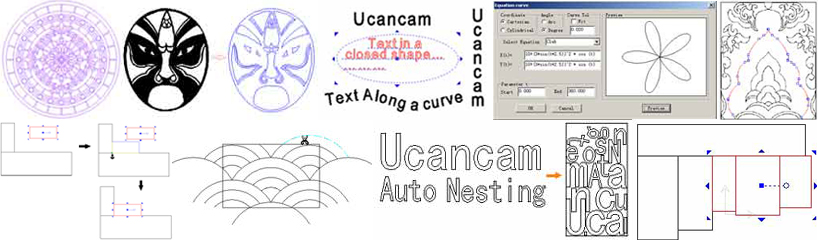
- Drawing and editing tools
- Image processing (contour extraction)
- Text editing
- Function-based curve drawing
- Serial correspondence text creation
- Array along curve
- Circular / rectangular array
- Artistic transformations
- Line trimming
- Boolean operations
- Object movement
- Auto nesting
- Node editing
- Position and shape relations
- Layer management
CAM Module:
- Profile machining
- Multiple tool entry strategies: ramp, gradual plunge, side entry
- Oscillating cutting
- Toolpath editing
- Trochoidal profile cutting
- Surface cleaning: raster and offset
- Trochoidal surface clearing
- 3D engraving
- Between-lines machining
- Drilling
- Concave and convex milling
- Intelligent machining
- Prismatic and relief machining
- Relief carving from bitmaps
- Toolpath creation between two curves
- Toolpath trimming
- Artistic toolpath transformations
- Rotary axis engraving
- Machining simulation

New in version V13 PRO:
- Added adaptive toolpath strategy
- Improved post-processor (supports horizontal milling, threading, and drilling cycles)
- Added threading tool
- Enhanced drilling path for drilling and threading cycles
- Displays safe height and plunge depth in toolpath output
- Added chamfer option in 3D Corner Engraving toolpath
- Increased UCC file name length to 1024 bytes
- Added multi-layer milling option in Centreline toolpath
- Displays toolpoint coordinates during toolpath simulation
- Added Chamfer toolpath strategy
- Added orientation and scaling transformations (2-point, 2-line)
- Added geometry and dimension constraints in Bezier nodes
- Updated help system
Requirements: Any computer with Windows OS.
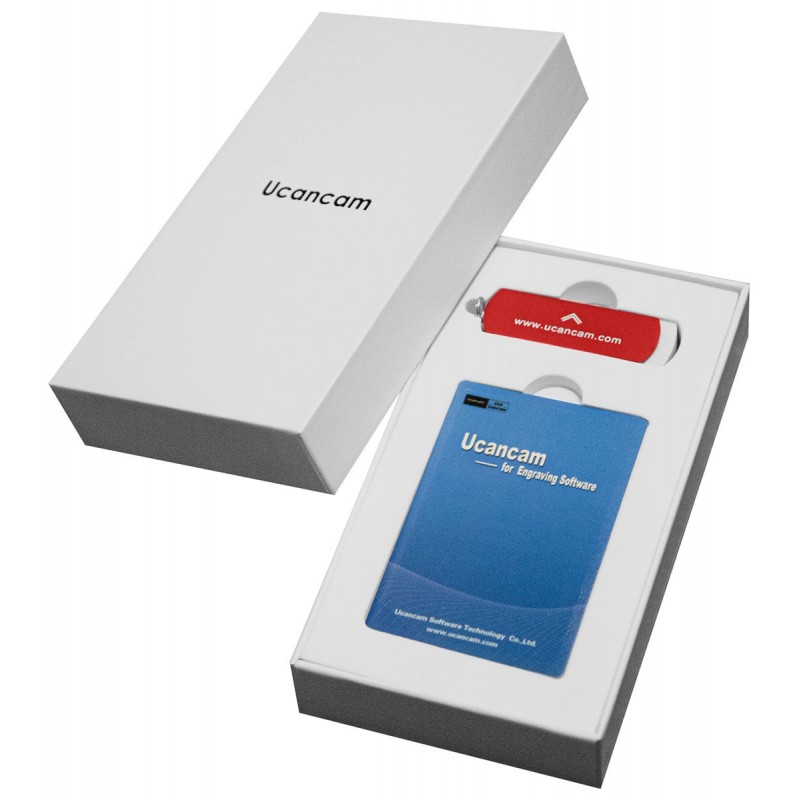
Set includes:
- USB hardware key
- USB flash drive with software
Are you interested in this product?
Contact our consultant
Reviews
Have you shopped with us? Let us know and share your experience. Help others make the right decision.
Leave a review


Double-click to enlarge